
Edit Flexible Product
Table of Contents
1. Features
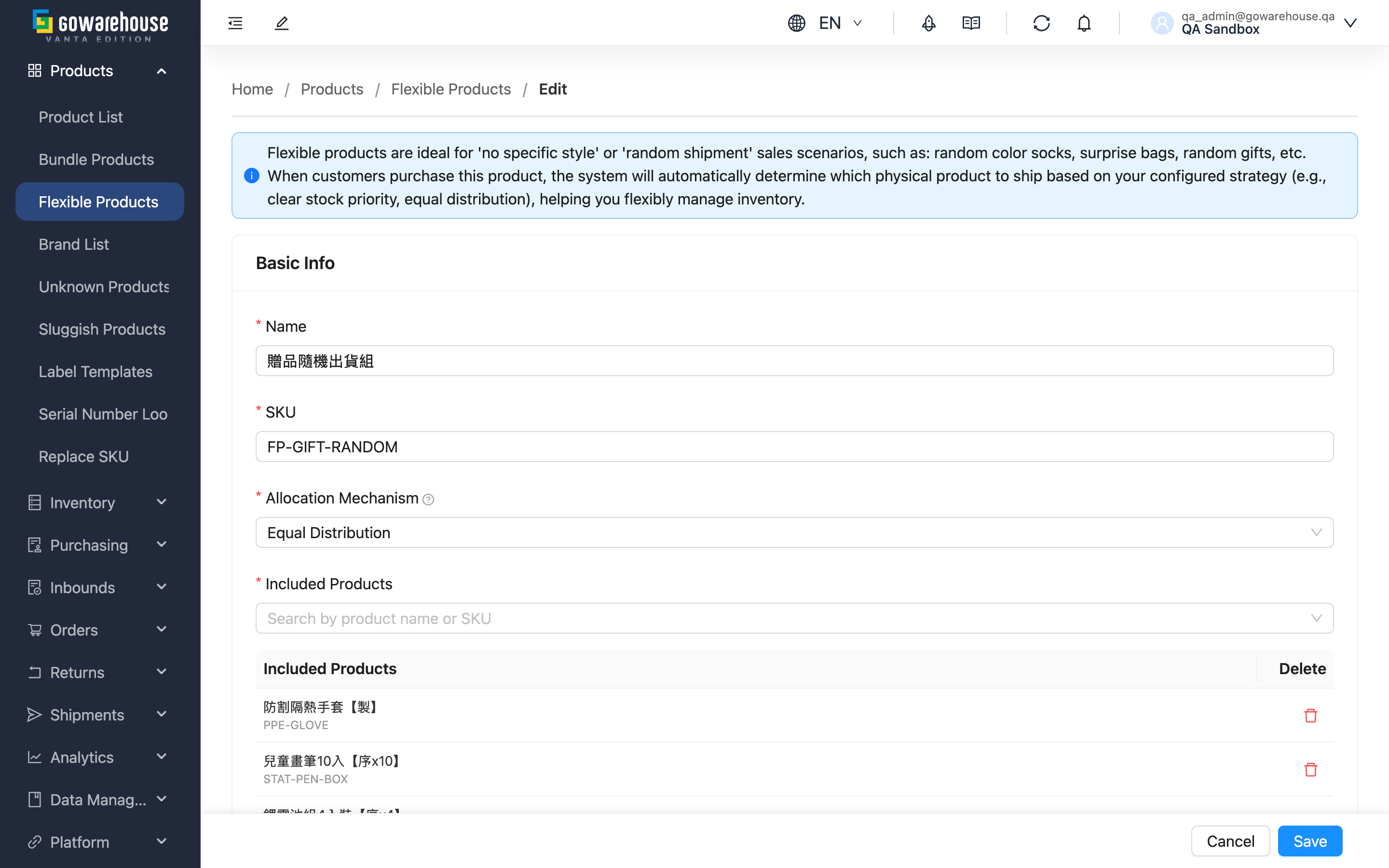
Adjust a flexible product as your business changes: switch the allocation mechanism (say, from equal distribution to clearing stock first), add newly arrived styles, or remove discontinued ones. Changes take effect immediately after saving, but only for orders created afterwards.
Quick jump: Form Fields | Steps
1.1 Form Fields
The fields are the same as in Create Flexible Product. Watch out for two things when editing:
- The SKU can be changed, but if a sales channel still lists the old SKU, later orders won't map to any product and will come in as unknown products; update the channel SKU at the same time.
- Keep at least 1 product in Included Products — removing all of them blocks saving.
1.2 Steps
▸ Change settings
- Edit the name, SKU, or Allocation Mechanism
▸ Adjust contained products
- Add: type a product name or SKU in the search box and click to add
- Remove: click the delete icon on that row
▸ Save
- Click "Save"; on success you return to the previous page
2. FAQ
Quick jump: FAQ | Important Notes
2.1 FAQ
▪ When do changes take effect?
Immediately after saving — every order created afterwards uses the new settings.
▪ Do changes affect existing orders?
No. The swap was finalized when each order was created; existing order items stay as they are.
▪ Can I swap out all the products for different ones?
Yes — add the new products first, then remove the old ones. The list must keep at least 1 product at all times; removing everything blocks saving.
▪ I want to pause this flexible product without deleting it?
There is no disable option. Delist the SKU from your sales channels and orders stop coming in; relist it when you want to resume.
▪ Saving fails with a duplicate SKU message?
The SKU must be unique among products, bundles and flexible products under the same merchant — use a different one.
2.2 Important Notes
⚠️ Important
- Changes only affect orders created afterwards; existing orders do not change
- After changing the SKU, channel orders still using the old SKU come in as unknown products
- Unsaved changes are lost when you leave the page
3. Related Features
| Feature | Description | Link |
|---|---|---|
| Flexible Product List | Overview and allocation mechanism | Go |
| Flexible Product Detail | View settings and contained products | Go |
| Create Flexible Product | Set up a new substitution rule | Go |